How to Cancel an Order on Karma Pharma
Learn the quick process for canceling an existing order on the Karma Pharma website. This guide provides a straightforward method to submit your cancellation request and update your account records efficiently.
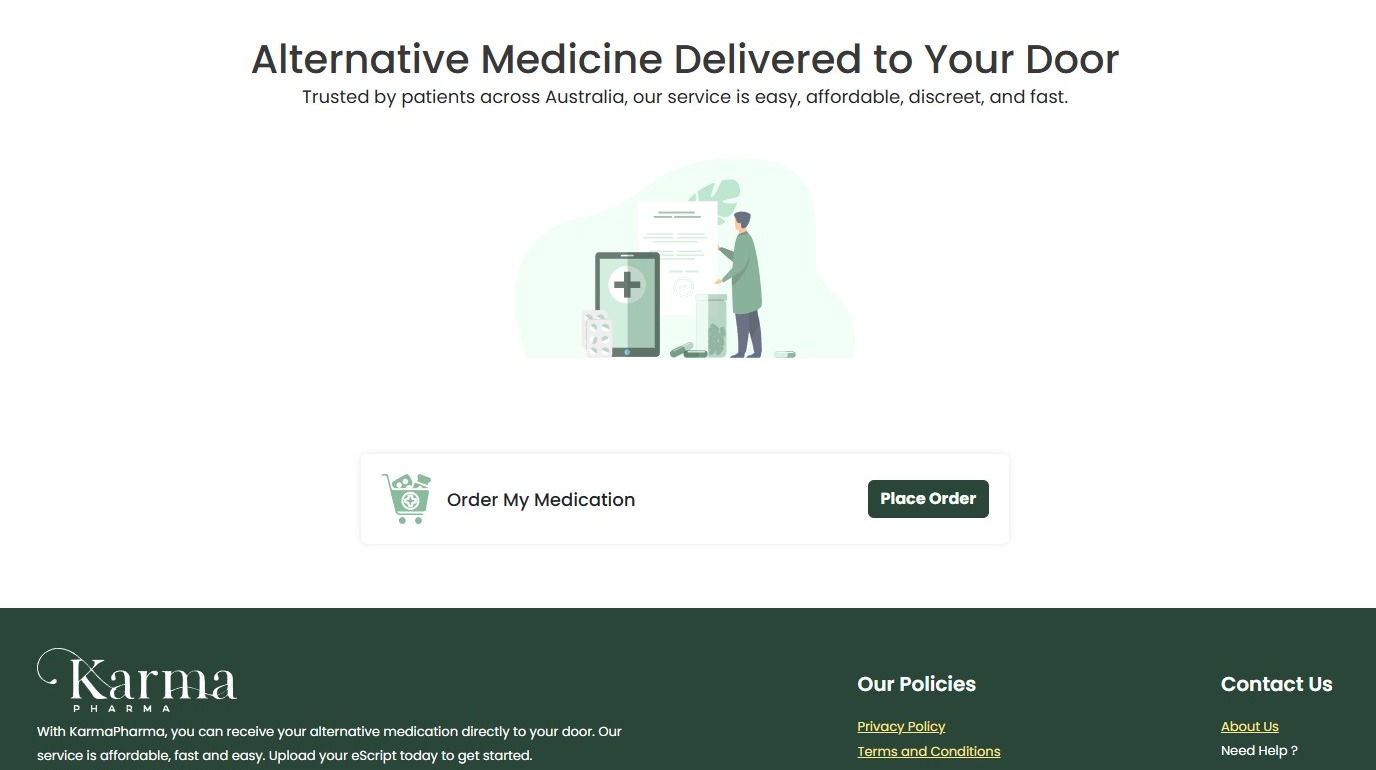
1. Navigate to https://karmapharma.com.au/home
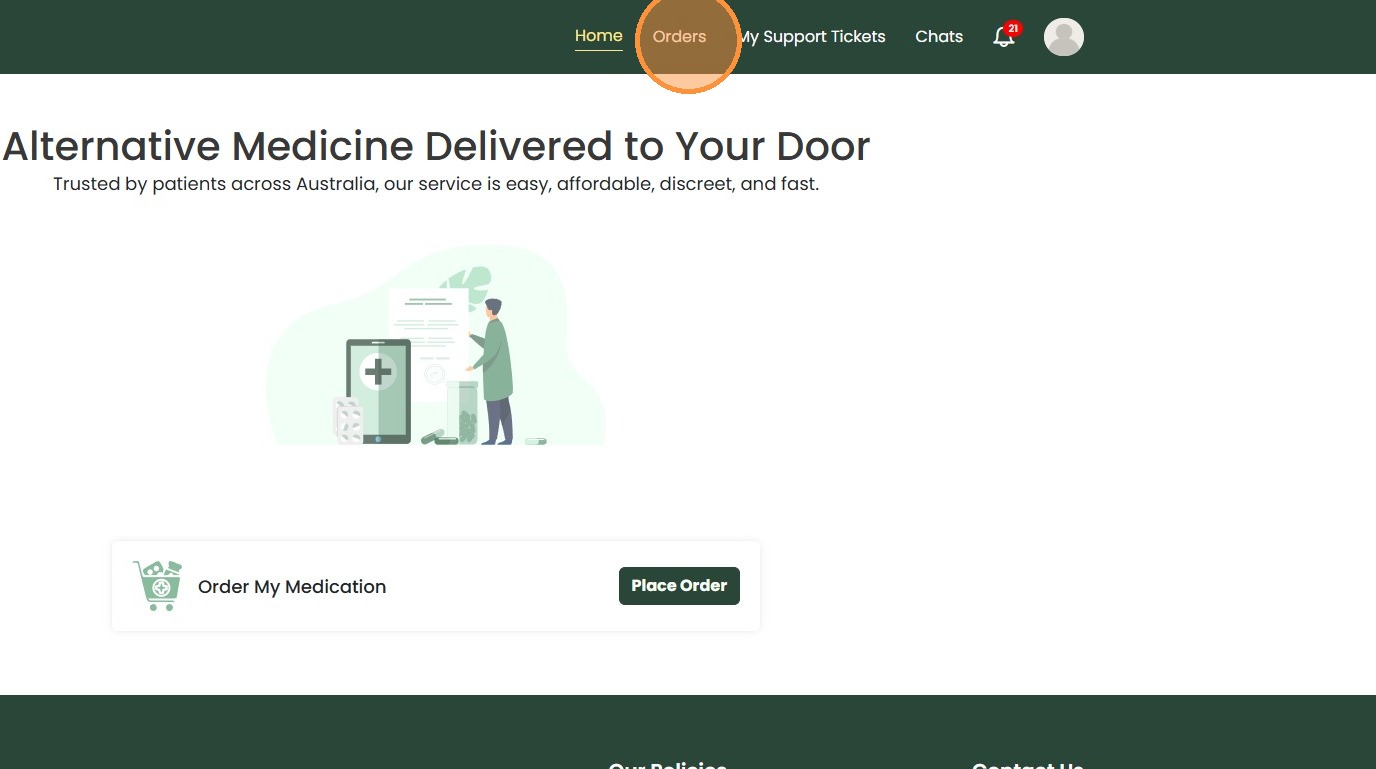
2. Click “Orders”
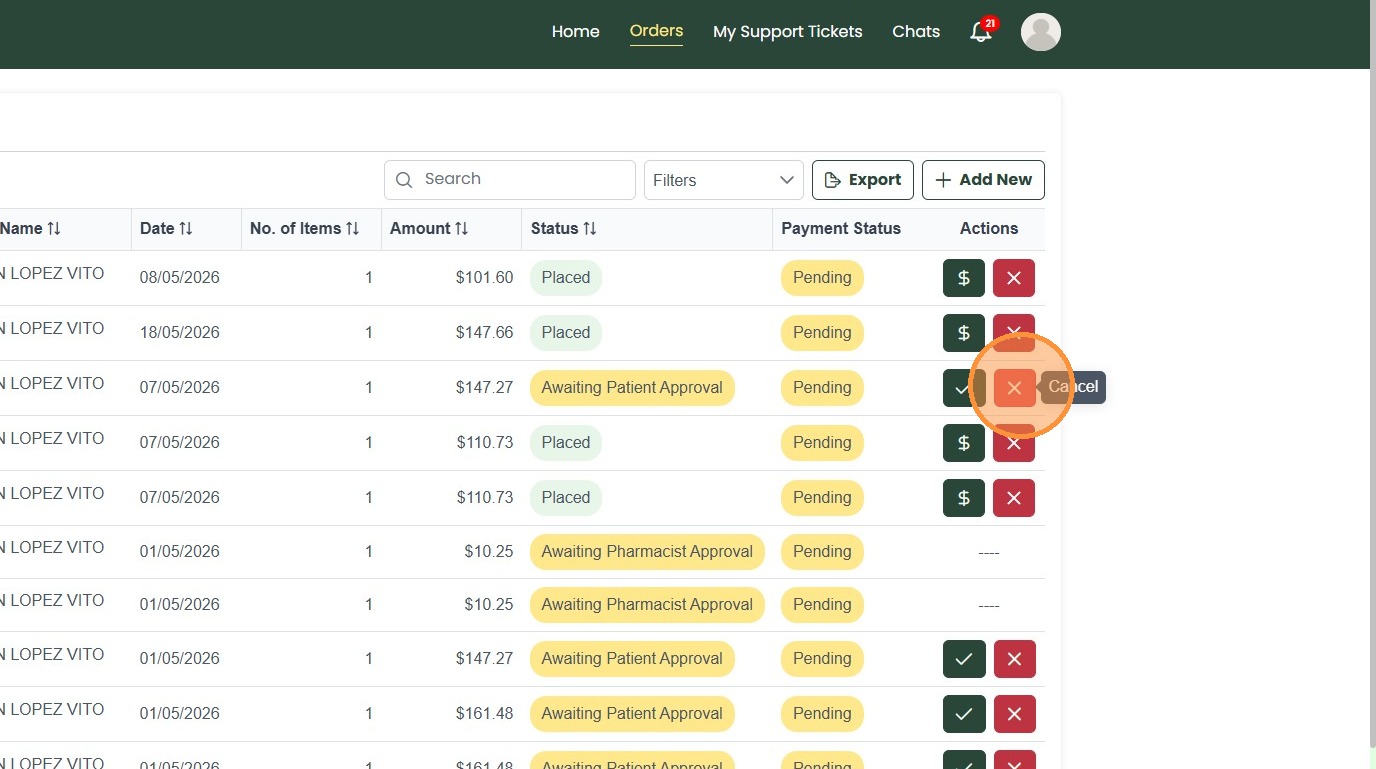
3. Click “Cancel” icon (X) for the order.
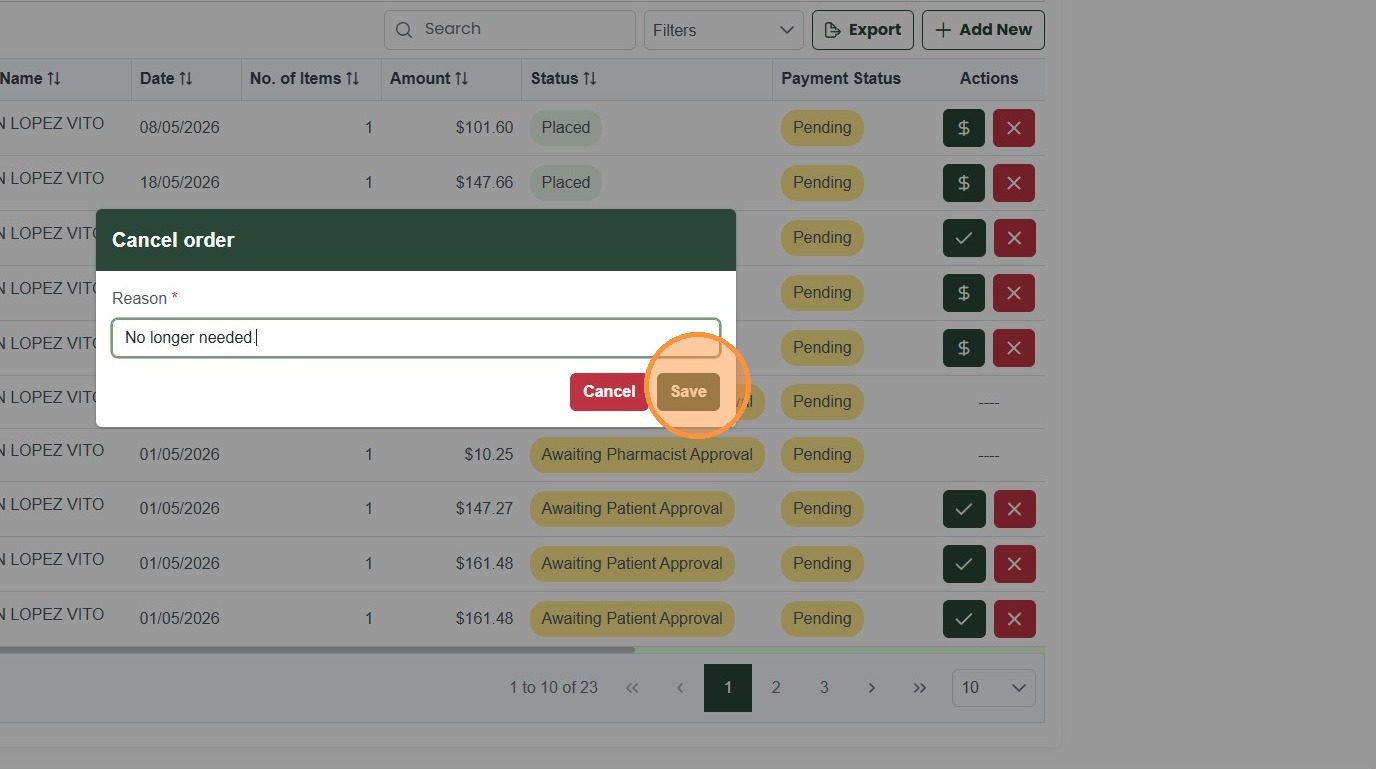
4. Enter reason and/or information for cancellation.
5. Click “Save”